Related features
Run recipes
Create reusable run configurations to test different environments, tags, and value sets. Trigger complex test selections without editing code or pipelines.
Scheduling
Schedule automated tests at set times. Run nightly, daily, or production checks automatically for consistent quality and confidence.
Notifications
Get notified instantly when tests pass or fail. Send live updates to Slack, Teams, email, or webhooks with full run data included.
CI/CD
CI/CD integration for continuous confidence
Bring DoesQA directly into your development workflow.
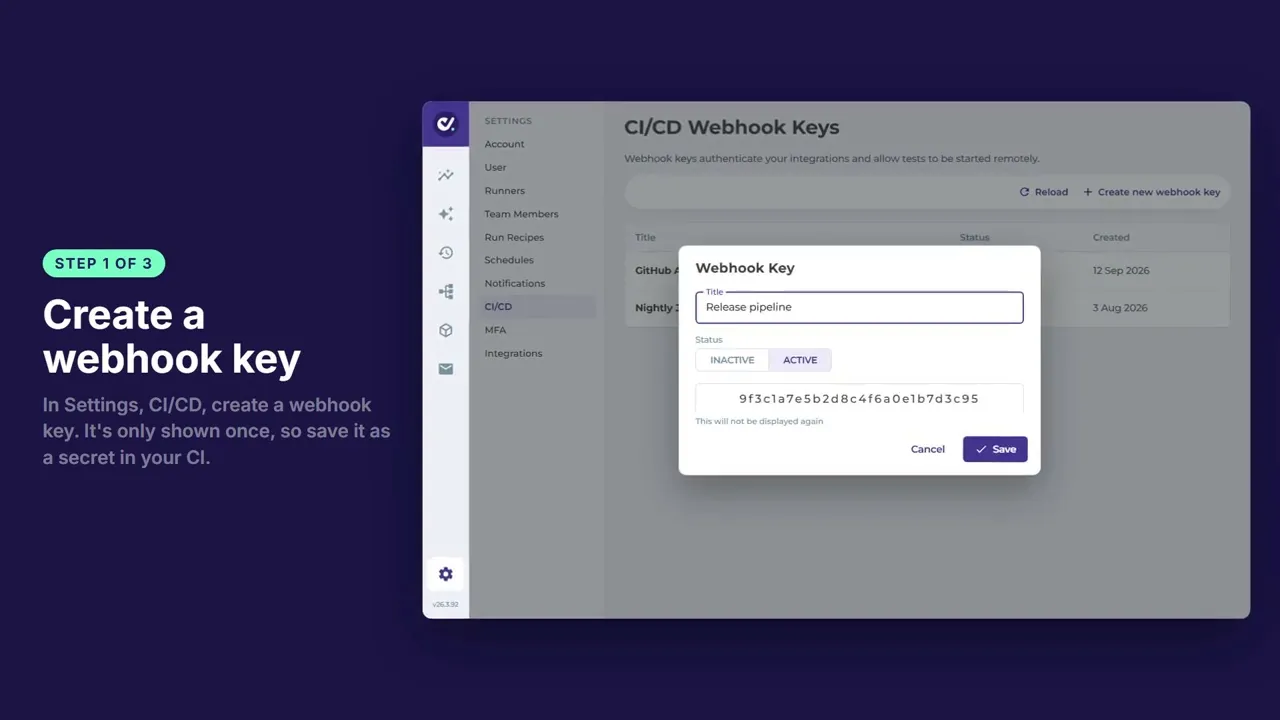
With native CI/CD integration, you can trigger automated tests from your pipelines, validate changes before release, and keep quality aligned with every commit.
CI/CD integration for continuous confidence
See full configuration details in our documentation.
You can call specific Flows, Flow tags, Recipes, or even pass custom value sets dynamically. This gives you precise control over what runs and when.
On every commit
On pull request
On merge to main
On deployment
On demand from your pipeline
Update Recipes without editing your pipeline
Change Flow selections using tag logic
Override environment values without committing code
Preserves environment and value data
Returns a clear pass or fail status
Provides detailed run and test summaries
One of the biggest friction points in CI/CD automation is maintaining pipelines as test requirements evolve.
Override environment values without committing code
Your CI/CD configuration stays stable while your test strategy evolves inside DoesQA.
This ensures developers get fast, actionable feedback directly within their workflow.
DoesQA combines test creation, runner infrastructure, branching logic, and CI/CD triggering into one platform.
Just reliable automated testing integrated cleanly into your delivery process.
